Article
Card-Testing Attack Post-Mortem - One Static Payment Link Got All My Product Payment Accounts Suspended
The short version: if your website carries a "permanent payment link" issued by a payment platform, that link is effectively a card-charging endpoint anyone can call an unlimited number of times. That is how card-testing attackers hit all of my sites and got my payment account suspended for a while. This post covers what happened, why it happened, and how I fixed it.
I. What Happened
The small products I build all collect payments in a very "convenient" way: create the product in the payment platform's dashboard, take the static payment link the platform generates, and paste it onto the site's "Buy" button. No backend, no verification, no rate limiting — just a CDN in front of the site.
This works fine as long as nobody has you in their sights. Until one day:
The payment dashboard showed a flood of failed small transactions;
The failures were almost all "card declined", "incorrect CVC" or "invalid card number";
Then the platform suspended my payment account. I had to file an appeal and submit extra documents, and I couldn't collect payments for a while.
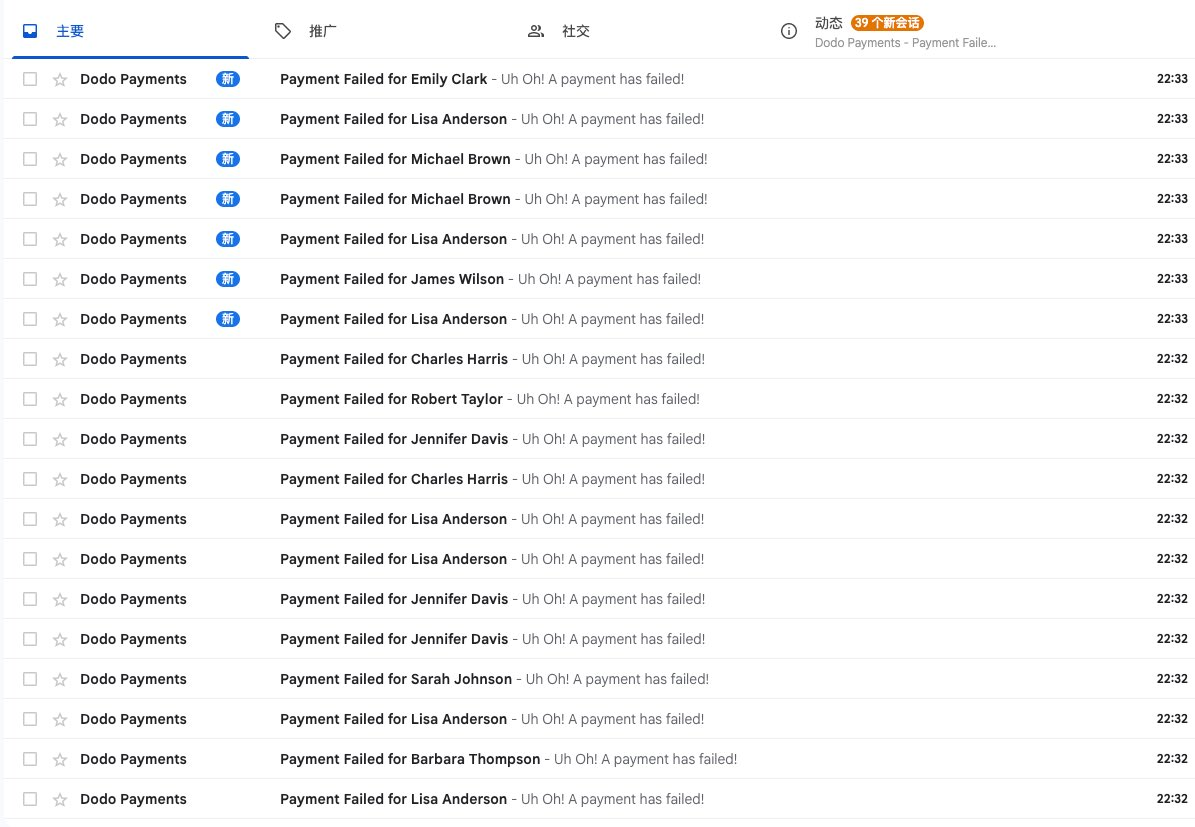
The screenshot below shows some of the emails I received during the attack.
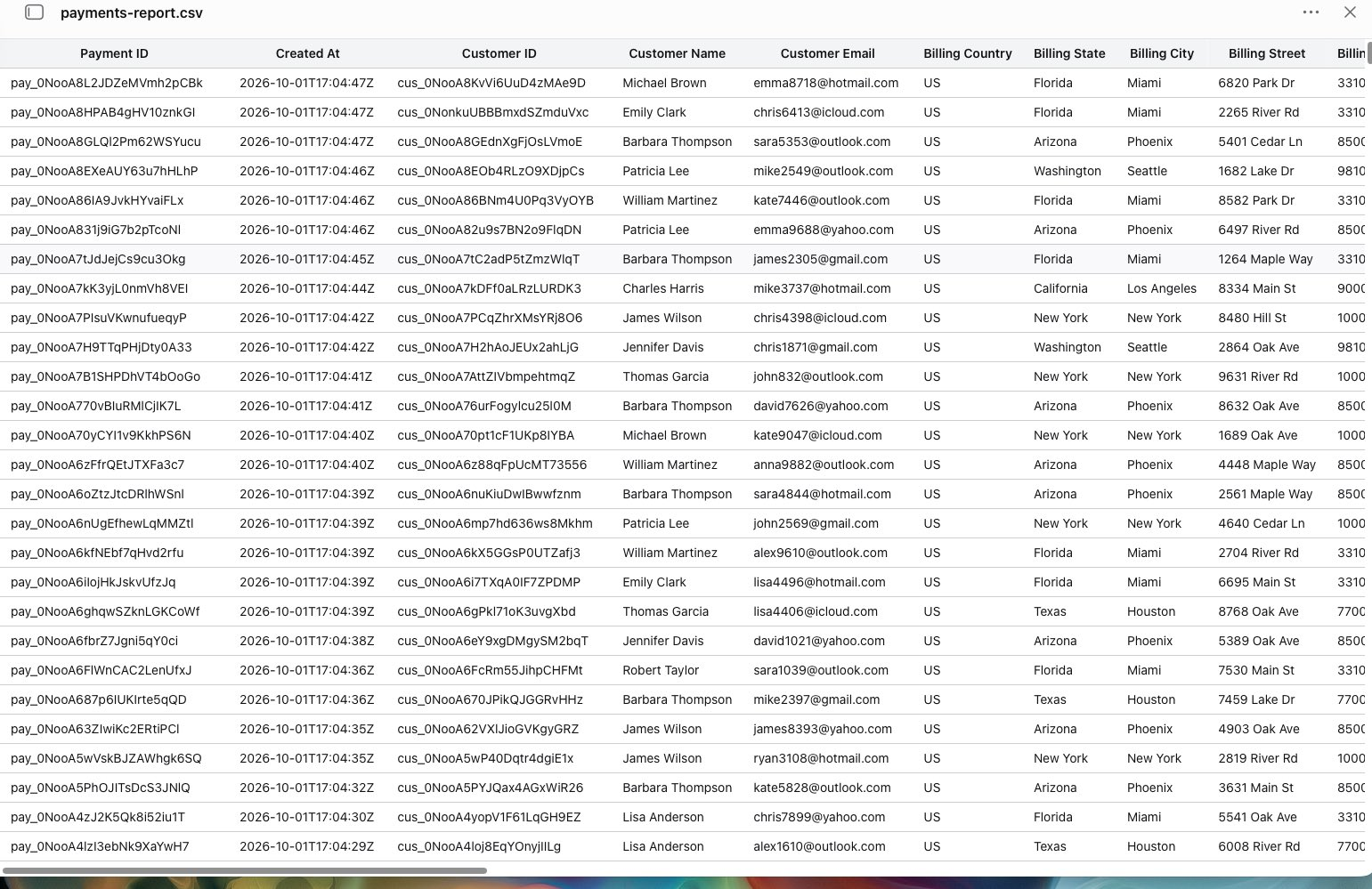
The screenshot below shows the payments report exported from the payment platform.
For more details, see the post I made on X at the time:
II. What Is Card Testing
Card testing is a fraud technique. The attacker has a batch of bank card details stolen elsewhere but doesn't know which cards still work. They need a "validator":
Find a payment page that accepts card details;
Submit cards in bulk with a script, usually for a tiny amount ($1 or even less);
Look at the responses: cards that go through are marked "live" and used for large fraudulent charges elsewhere.
To the attacker, your website is just a free card-checking tool. They don't buy anything from you, and they don't care who you are.
For you, the consequences are:
A large number of failed transactions pushes up your dispute and fraud rates, which payment platforms and card networks are extremely sensitive to;
Some of the test transactions that succeed turn into chargebacks weeks later, each one carrying a penalty fee;
The platform's risk controls kick in and your account is restricted or suspended;
And you haven't sold a single thing.
III. Why Static Payment Links Are Especially Dangerous
Many payment platforms give every product a permanent URL, shaped like this:
https://checkout.some-provider.com/buy/product-idIt has several fatal properties:
It never touches your server. The request goes straight to the payment platform, so your Cloudflare, WAF and rate limiting can't see it at all. There is nothing you can do to defend it.
It can be opened an unlimited number of times. Every visit is a fresh payment page where card details can be submitted again and again.
The product ID is public. It sits in your page source, in your button link, even in chat logs where you shared it. Anyone who gets hold of it can script an attack.
There is no human verification. Nobody in the middle asks "are you a human?"
In other words, my protection back then was zero. It wasn't "not enough protection" — it was "no protection".
IV. The Fix: Don't Publish Any Payment Link
The core idea fits in one sentence: don't put payment links on your site; have the server create a one-time checkout for each purchase.
My site is hosted on Cloudflare Pages with Pages Functions as the backend, and the payment platform is Dodo Payments. Here is the flow after my rework:
The user clicks the "Buy" button;
The page loads Cloudflare Turnstile (human verification, action name
checkout) and gets a one-time token;The browser sends a POST to
/api/checkoutcontaining only the token and the tier (1/2/3 devices);The server checks, in order: that the configuration is complete, the request origin, the request body size, the per-IP request rate, the site-wide quota, and the Turnstile token;
If everything passes, the server uses a secret key stored only on the server to ask the payment platform for a one-time checkout session;
The server confirms that the returned URL really belongs to the payment platform's domain, then hands it to the browser to redirect.
Remember to enable 3D Secure in the Dodo dashboard. This is important.
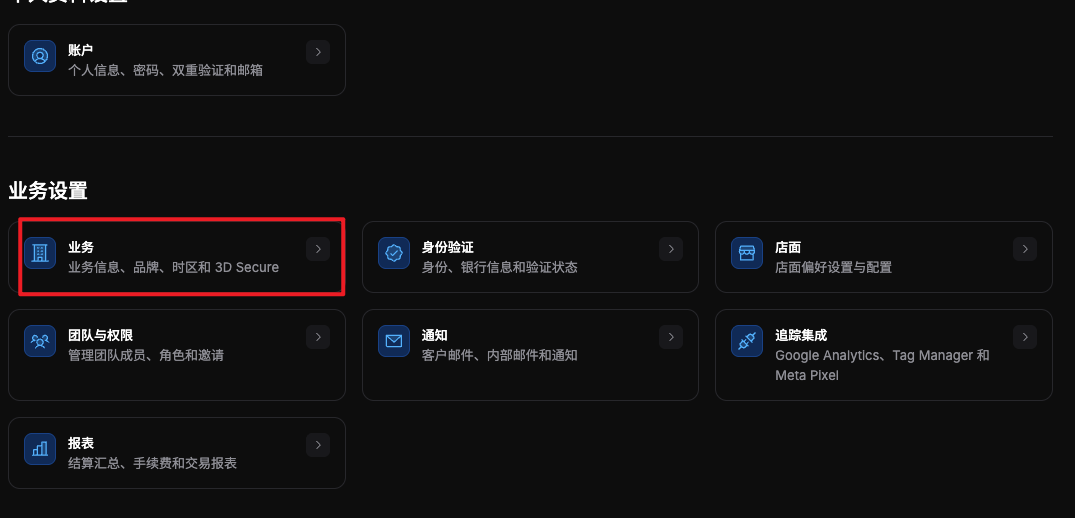
The product ID, the API key and the Turnstile secret all live only in the server-side environment variables of Pages. The front-end build contains only the Turnstile site key, which is public by design.
1. Verify the origin
Only accept requests from your own domain:
const ORIGINS = new Set(["https://example.com", "https://www.example.com"])

const origin = request.headers.get("origin")
if (!origin || !ORIGINS.has(origin)) return json({ code: "origin" }, 403)
This won't stop a determined attacker (the Origin header can be forged), but it filters out a lot of casual scripts and other sites borrowing your endpoint.
2. Verify the Turnstile token
The token must be verified on the server. Rendering the widget on the front end alone does nothing:
const response = await fetch("https://challenges.cloudflare.com/turnstile/v0/siteverify", {
  method: "POST",
  headers: { "content-type": "application/x-www-form-urlencoded" },
  body: new URLSearchParams({ secret, response: token, remoteip: ip }),
})
const data = await response.json()
// success is true, hostname is my own domain, and action is checkout
A few details:
The token is single-use, so every purchase needs a freshly rendered widget;
Check the returned
hostnameandactionso nobody can use a token from another site against yours;Limit the token length so it doesn't become an attack surface.
3. Layered rate limiting
I count with Cloudflare KV, storing a SHA-256 hash of the IP so raw IPs never appear in the logs:
Dimension | Limit | When it is counted |
|---|---|---|
Attempts per IP | 30 per hour | Before token verification; failed probes count too |
Site-wide issued checkouts | 15 per hour, 50 per day | After a checkout is successfully issued |
Successful issues per IP | 8 per hour, 20 per day | After verification passes |
There is one small design choice: attempts are counted before the token is verified. That way, an attacker probing with a pile of fake tokens burns through their own quota instead of using up my verification requests for free.
4. Limit what a request can change
The endpoint doesn't accept arbitrary products, quantities or discount codes. The only thing a request can choose is the tier (1/2/3), which must be on the server-side allowlist, and the quantity is fixed at 1. Discount codes are entered in the payment platform's checkout and never pass through my endpoint.
5. Validate the URL the payment platform returns
The server lets a URL through only if it is https and its hostname equals the payment platform's checkout domain, and the browser checks it once more before redirecting. This keeps any link tampered with along the way from becoming an open redirect.
6. Turn on strong authentication
Set force_3ds when creating the checkout to force 3D Secure. It adds an extra step for some users, but it is a real obstacle for card testing: what attackers usually have is just the card number, expiry date and CVC, and they can't get past 3DS.
V. An Easily Missed Trap: After Switching to the New Payment Flow, Archive the Old Products
Don't assume you're done and safe once the protections above are in place. If your new payment flow still uses the product IDs of the products that were attacked, all of those protections are worth nothing: once a product ID has leaked, a checkout can still be opened for it with your API key, and the attacker can still piece together the complete payment link. So the crucial step is to duplicate the old product first, then archive the old one outright.
Never take the shortcut of reusing the old product IDs just to save time.
Desktop apps need care too: the Info.plist inside the installer is public. My approach is to ship only the SHA-256 digest of the product ID in the app; at activation time I hash the ID returned by the platform the same way and compare, and every "Buy" button points to the pricing page on the official website.
VI. Limitations of This Setup
I don't want to present it as a silver bullet:
Counting isn't atomic. KV is read-then-write, and it takes about a minute to sync across nodes, so it limits the cost of probing rather than enforcing an exact quota.
A site-wide quota cuts both ways. A global cap of 15 per hour keeps the damage from an attack very small, but attackers can also deliberately use up the quota so that real users temporarily can't buy. For a small product I accept that trade-off; with more traffic you'd need something finer-grained (Durable Objects for atomic counting, or tiering by risk).
The Origin check can be forged. It is only the first sieve.
Turnstile isn't a cure-all. With human CAPTCHA-solving farms or high-quality automation it can still be bypassed, which is why rate limiting and 3DS are needed behind it as a safety net.
Security is layered. Every layer is imperfect, but stacked together they push the cost of an attack beyond what it is worth. Card-testing attackers want "cheap and in bulk"; as long as you're no longer the cheapest target, they will go and find the next one.
VII. A Checklist for Indie Developers
Before you launch payments, run through this:
[ ] Is there a permanent payment link on your site? If so, replace it with a one-time checkout created on demand by your server;
[ ] Does the endpoint that creates checkouts have human verification, with the token verified on the server?
[ ] Do you rate-limit along both dimensions, per IP and site-wide?
[ ] Can the endpoint be used to change the price, quantity or product? All of that should be decided by the server;
[ ] Have you enabled 3DS or the risk rules your platform provides?
[ ] Do the product IDs and API keys exist only in server-side environment variables?
[ ] Have you set up an alert with your payment platform, so you're notified immediately when failed transactions spike?
[ ] Do your logs record why a request was blocked (origin, country, ASN) for later analysis?
[ ] Have product IDs leaked in anything public (source code, installers, docs, chat logs)?
VIII. Final Thoughts
What bothered me most about this incident wasn't the technical difficulty but how easy it was to avoid: a few dozen lines of server code, a free Turnstile, and a bit of rate limiting turn "zero protection" into "some protection". The only reason I hadn't done it was that "the payment platform gave me a link, paste it and you can collect money" — and nothing had ever gone wrong.
Nothing going wrong doesn't mean you're safe; it only means you haven't been scanned yet. Plenty of scripts on the internet continuously scan every page that can accept card details, and small sites are no exception.
If your site has a static payment link pasted on it right now, I'd suggest changing it today.
I'm also very grateful to Dodo Payments for their help and support. At the peak of the attack they temporarily suspended my account to keep it safe, and after several email exchanges and help from Dodo's China team, the matter was resolved happily.
Copyright
Copyright of this article belongs to its author or rights holder. When reposting or quoting, please follow the applicable license terms and keep the link to this article.
Link to this article: https://xuyi.dev/en/2026-10-25-xxtrto