Article
+ UpdatedFrom Tech Novice to Video Pro - Easily Make Product Promo Videos with Codex and HyperFrames
The AI image-generation collection site I recently launched, citu, has already received plenty of likes and feedback. With citu, we don't have to laboriously collect and pick prompts from all over the web every day; everything is right there at a glance on Citu, within easy reach. Now I'm planning to make a quick promo video for it.
The tool I'm using to make the video today, HyperFrames, is a code-driven video production framework open-sourced by HeyGen. Its core advantage is that you don't need to open any editing software at all: just write code and render the video.
Since that's the case, let's use Codex + HyperFrames to make a promo video and see how it turns out.
Your browser does not support video playback
The result is, I'd say, very good. From a technical standpoint, it's far better than what I'd patch together by editing things myself, and it's directly usable.
How to Use It
First, you need an agent that writes code. I recommend
OpenAI's Codex here; if you don't have it, I suggest downloading and installing codex firstAfter entering the App, search for "HyperFrames" in the Plugins bar on the left and click add.
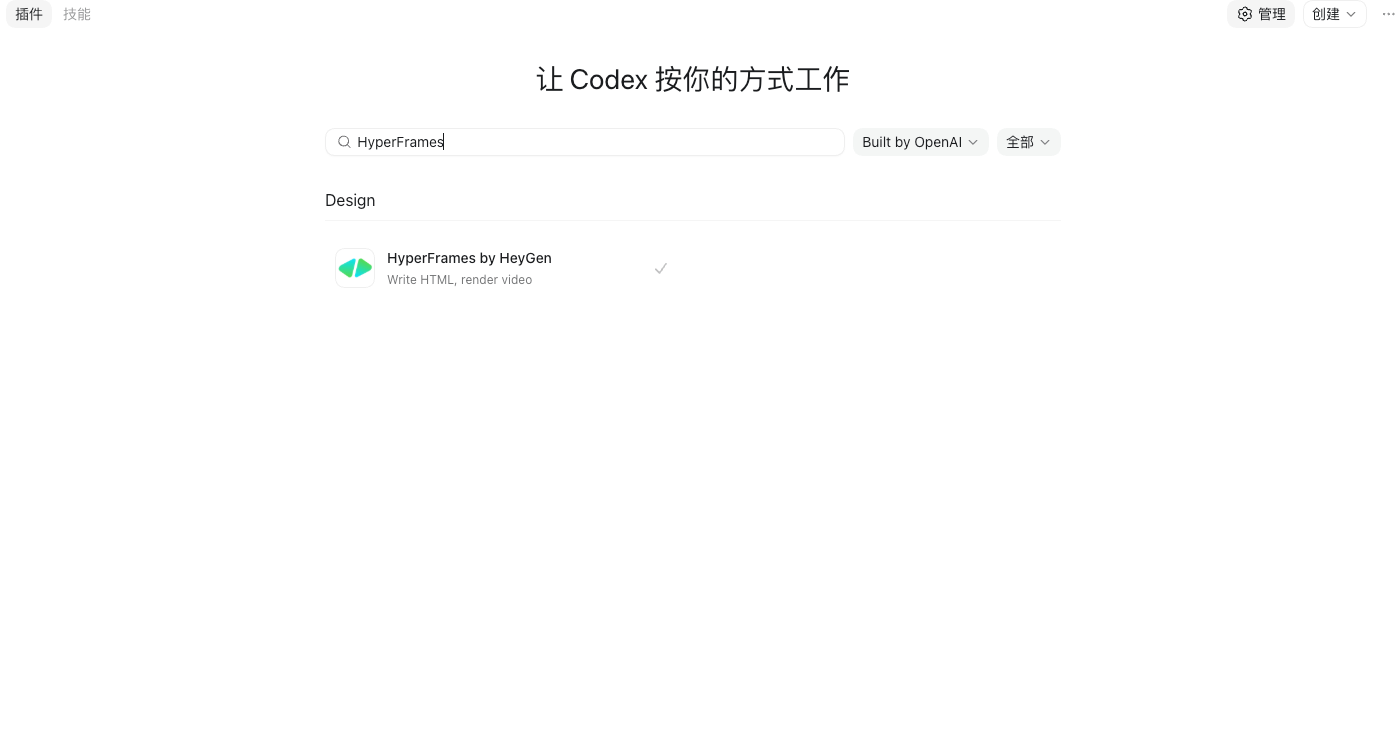
Then just tell Codex directly the style of video you want, write a simple prompt, and specify using the
HyperFramesplugin, and let it make the video for you. All you have to do is wait for it to finish running.
One good suggestion: if you happen to be making a promo video for your own product, interact with it from inside your product's project directory, so it can get the materials it needs on its own, based on your project.
Copyright
Copyright of this article belongs to its author or rights holder. When reposting or quoting, please follow the applicable license terms and keep the link to this article.
Link to this article: https://xuyi.dev/en/2026-05-06-n4q7yh